
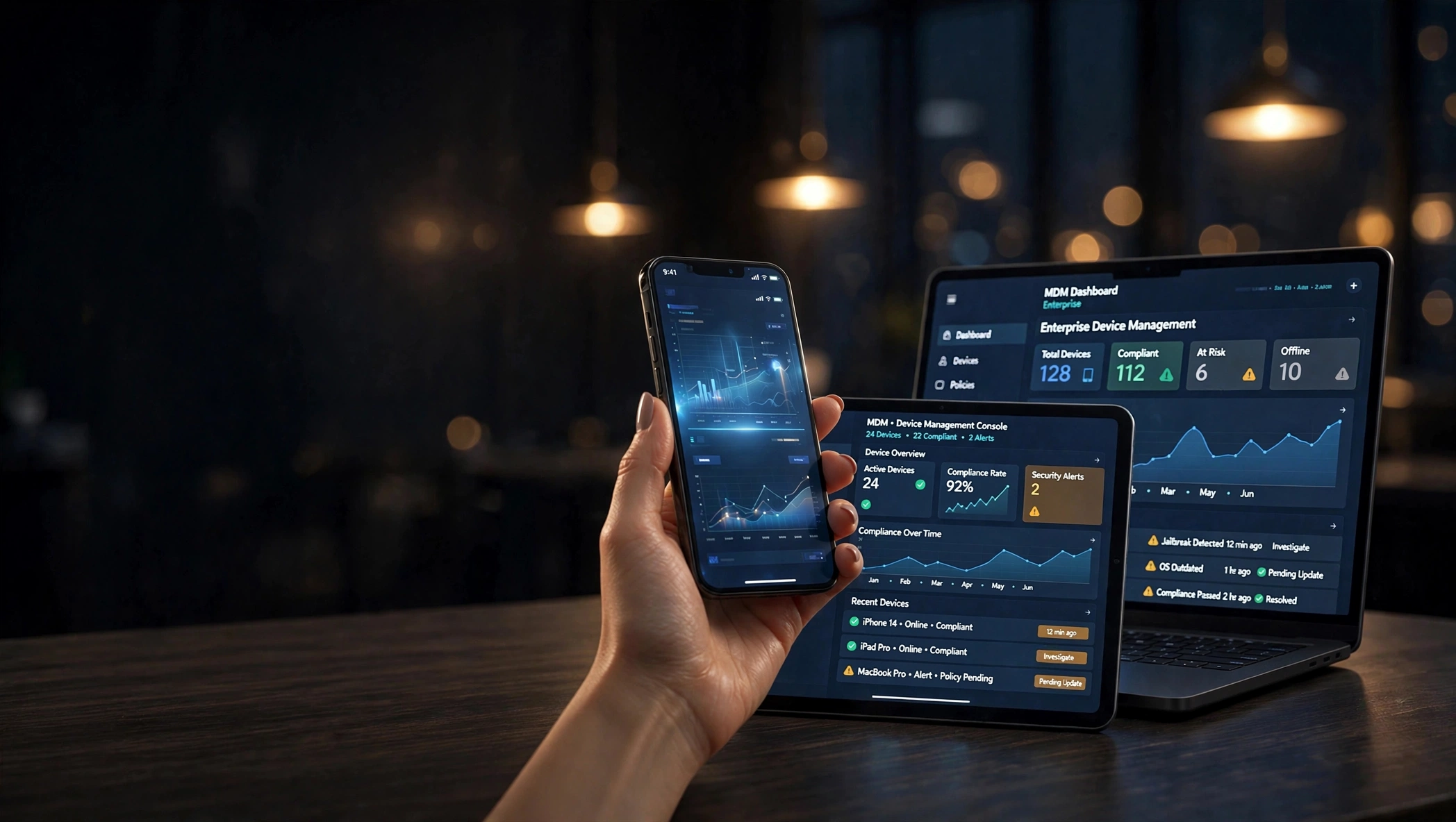
Manage the Entire Device Lifecycle with Devniques MDM, from a Single Console.
Handle every stage of device usage with Devniques MDM, from onboarding to decommissioning.
Every stage of MDM, one console.
Handle every stage of device usage with Devniques MDM, from onboarding to decommissioning.
Enrollment
Enroll devices quickly using secure onboarding methods with minimal effort and consistent setup.
Provisioning
Configure devices with required settings, policies, and applications during setup.
Deployment
Assign devices to users or teams based on roles and requirements, without delays.
Management
Monitor activity, enforce policies, and manage applications from one dashboard.
Retirement
Decommission devices, remove data and policies to prevent unauthorized access.
Devices You Can Manage
Manage phones, tablets, kiosks, laptops, and desktops — all from a single platform.
Phones & Tablets
Interactive Kiosks
PoS
Digital Signage
Laptops
Desktops
Key Features
Manage and secure endpoints with capabilities designed for enterprise use.
Conditional Email Access
Manage access to corporate email based on device compliance and user policies.
- Block access from unmanaged or non-compliant devices.
Certificate Management
Deploy and manage digital certificates across devices.
- Enable secure authentication without relying on passwords.
Kiosk Mode
Restrict devices to single or multiple applications for controlled usage.
- Ideal for kiosks, POS systems, and frontline environments.
Device Enrollment & Provisioning
Enroll and configure devices with required policies and applications.
- Ensure devices are ready for use with consistent configurations.
Security & Compliance Management
Apply security policies and maintain compliance across all devices.
- Monitor device posture and enforce rules based on organizational standards.
Connectivity Management
Configure Wi-Fi and VPN settings across devices for secure access to corporate resources. Maintain reliable connectivity across office and remote environments.
Advanced Capabilities for Complete Control
Extend control with MDM capabilities designed for enterprise environments.
Bulk Enrollment
Enroll multiple devices at once using a streamlined onboarding process. Reduce manual setup effort while maintaining consistency across all devices.
- Add multiple devices in bulk for faster onboarding across teams
- Minimize repetitive setup steps and reduce IT workload
- Maintain consistent configurations and policies across devices
Patch Management
Keep devices updated with the latest OS patches and security updates across your fleet. Reduce vulnerabilities and maintain system stability without manual intervention.
- Schedule and automate patch updates across devices
- Reduce risks from outdated operating systems
- Maintain performance and system reliability
Automated Third-Party App Patching
Ensure third-party applications remain updated across all managed devices. Eliminate manual updates and reduce risks from outdated software.
- Automatically patch commonly used third-party apps
- Reduce vulnerabilities from outdated applications
- Maintain consistency across all installed software
 Chromev124 → v125
 Zoom5.17.2 → 5.17.5
 Slack4.37.0 → 4.38.1
 Acrobat24.001 → 24.002
 VLCUpdating…
 Firefox125.0 → 126.0
App Catalog
Provide users with access to approved applications through a centralized app catalog. Simplify app distribution while maintaining control over installations.
- Publish and manage approved apps centrally
- Control app access based on roles or groups
- Simplify application deployment and updates
 VS Code✓ Installed
 Docker+ Install
 Notion✓ Installed
 Figma● Request
Location Tracking & Geofencing
Track device location and define usage boundaries based on organizational requirements. Maintain visibility and restrict usage outside approved locations.
- Monitor device location in real time
- Set location-based usage restrictions
- Prevent unauthorized device movement
MR-CELL-0184
Keep Your Devices Secure
Strengthen endpoint protection with built-in security controls.
Enforce Passwords
Set password complexity and authentication requirements across devices. Configure idle timeout to auto-lock devices when not in use.
BitLocker Encryption
Encrypt device storage to protect data from theft or unauthorized access. Secure data even if devices are lost or stolen.
Conditional Access
Control access to apps and data based on device and user conditions. Restrict access from unmanaged or non-compliant devices.
Restrict Peripheral Usage
Control usage of USB devices, Bluetooth, and other peripherals. Prevent unauthorized data transfer across devices.
Zero Downtime, Powered by MDM
Maintain uninterrupted operations with remote management and control capabilities.
Windows Defender
Manage Windows Defender settings across devices from a central console. Maintain consistent protection against threats and vulnerabilities.
Security
Apply security configurations and monitor device posture continuously. Detect risks and maintain compliance across environments.
Remote Troubleshooting
Access devices remotely to diagnose and fix issues quickly. Reduce downtime and improve user experience across teams.
Remote Commands
Execute actions such as lock, wipe, restart, or sync remotely. Maintain control over devices without physical access.
IT Helpdesk Integration
Integrate with IT helpdesk tools for faster issue resolution. Streamline support workflows and improve response times.
Why Choose Devniques?
Devniques simplifies desktop management with centralized visibility and consistent policy enforcement.
Built-in DLP
Manage device usage and data protection from the same dashboard. Gain visibility into device activity and data movement.
Integrations
Integrate with ITSM platforms and productivity tools already in use. Maintain seamless workflows across systems.
Compliance-Ready
Support compliance with GDPR, HIPAA, SOC 2, and PCI-DSS. Maintain audit readiness with consistent policy enforcement.
Frequently Asked Questions
Still have questions? We've got answers to help you make the right decision.
Device management is the process of managing, monitoring, and securing devices from a centralized platform. It helps enforce policies, control access, and maintain visibility.
MDM works by enrolling devices into a management platform. Admins can apply policies, monitor activity, and manage devices remotely.
MDM software simplifies device management, improves visibility, and enhances security. It reduces manual effort and ensures consistent policy enforcement.
It enforces policies, controls access, and monitors device activity continuously. This helps reduce risks and maintain compliance with regulations.
Yes, it works for both SMBs and enterprises, scaling with your business needs and device count.
Yes, applications can be deployed and managed remotely. This ensures users have access to required tools without manual installation.
Yes — both Windows 10 and Windows 11 devices are supported, with consistent management across versions.